
Shipping a Python desktop app to the Microsoft Store
How stemma goes from a Python and PySide6 repo to a signed Microsoft Store release, with listing copy, screenshots and Partner Center submissions treated as code.
- python
- pyside6
- windows
- msix
- ci
A PyInstaller zip on GitHub Releases is a common place for a Python desktop app to stop. That works for developers, until a normal Windows user downloads the zip, unpacks it, and hits a SmartScreen warning telling them the app comes from an unknown publisher.
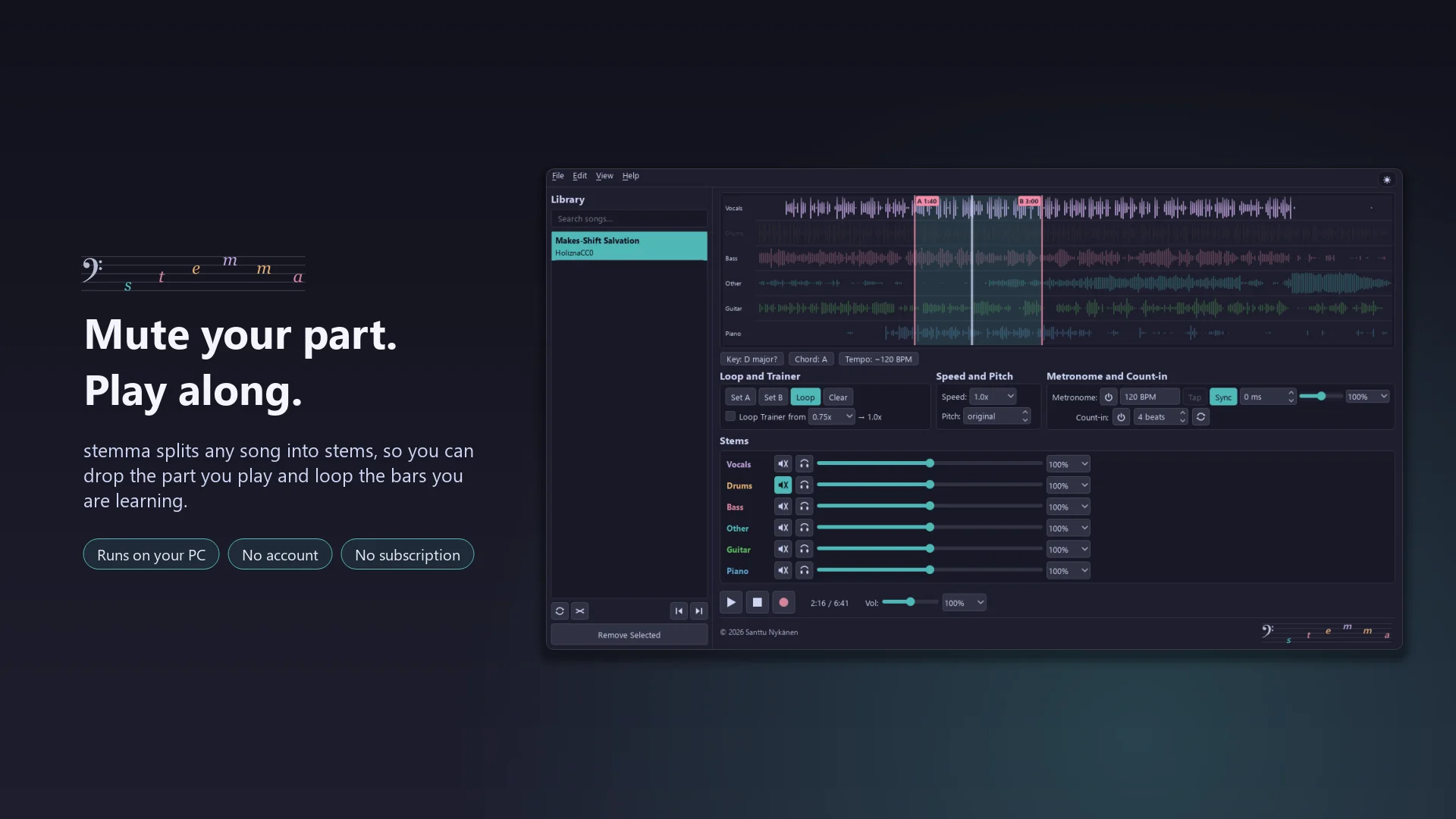
When I built stemma—a Windows music practice app with local AI stem separation built in Python and PySide6—I wanted it to install and update like any native Windows app. That meant packaging it as an MSIX for the Microsoft Store and automating every piece of the release pipeline in the repository.
Why put a Python app in the Store
Shipping through the Microsoft Store solves three practical headaches for a desktop utility:
- A trusted install path. The portable zip is unsigned and can trigger a SmartScreen warning; a Store install comes through Microsoft’s own channel instead.
- Automatic updates and clean uninstalls. The MSIX package handles installation, Start Menu entries and updates without a custom installer or registry cleanup scripts.
- Keeping the package lean. stemma doesn’t bundle its roughly 450 MB of model weights inside the installer. Models for HTDemucs, MDX-Net, and beat tracking download on first import and are verified against reviewed SHA-256 checksums before being published to the app’s cache.
GitHub Releases still ships a portable stemma.zip alongside stemma.msix for anyone who prefers no store at all, built from the exact same binaries.
From PyInstaller to MSIX
The build starts with a one-folder (COLLECT) PyInstaller bundle defined in stemma.spec using Python 3.12 in CI. A one-folder bundle skips the 3–5 second extraction delay that one-file mode adds to every launch.
Icon crispness on Windows took extra care. Instead of scaling one master PNG down, scripts/generate_app_icons.py renders separate pixel-placed SVG drawings from assets/icons/ at 16, 20, 24, 30, 32, and 36 px alongside a large asset, and scripts/build_msix.ps1 indexes every size into resources.pri so Windows picks the sharp icon at any DPI scale.
One tag, one version everywhere
Pushing a tag like v3.0.0 triggers .github/workflows/release.yml, and the very first step makes sure nobody forgets a version bump:
scripts/sync_release_version.ps1parses the tag and writes3.0.0intosrc/version.pyand3.0.0.0intomsix/AppxManifest.xml.- Release validation (
scripts/validate_store_release.pyandscripts/build_store_listing.py --check) verifies that the Store listing has a matching “What’s new” entry, valid metadata, and screenshots that meet Store size and count minimums. - The fast pytest suite (
not slow and not hardware) runs against that versioned tree before PyInstaller buildsstemma.zipandstemma.msixand attaches both to a GitHub Release.
If any generated file or “What’s new” section is missing, the tag build fails immediately before producing broken artifacts.
Store listing and screenshots as code
Keeping Partner Center copy out of a browser form meant treating store/listing.yaml as the single source of truth. Feature bullets, descriptions, product identity, and per-version release notes all live in YAML; running scripts/build_store_listing.py regenerates docs/store-listing.md and store/product-update.skeleton.json, and CI fails if they drift out of sync.
Screenshots are generated the same way, never captured manually. scripts/generate_screenshots.py launches the real PySide6 window offscreen against a real 6-stem separation of HoliznaCC0’s CC0 track “Makes-Shift Salvation” and renders five 1920×1080 PNGs—two composed headline cards and three full-window shots that each show one feature—so every UI redesign refreshes the Store gallery in one command.
Two-step Partner Center automation (and the SAS-URL trap)
Store submission itself runs via a manual workflow_dispatch workflow (.github/workflows/partner-center-submit.yml) powered by Microsoft’s msstore CLI:
- Stage with
update_draft: The workflow downloadsstemma.msixfrom the GitHub Release, stages the package withmsstore publish --noCommit, merges listing fields fromstore/listing.yaml, and bundles screenshots and tile assets viascripts/stage_store_images.py(which marks old Store imagesPendingDeleteand adds the current set asPendingUpload). - Commit with
submit: After inspecting the staged draft metadata artifact, a second run callsmsstore submission publish, refusing unless aPendingCommitdraft exists whose release notes match the tag.
Two sharp edges are worth calling out for anyone automating Partner Center in a public repo:
- Never press “Submit for certification” in Partner Center’s web UI on a CLI-staged draft. Until committed via
submit, Partner Center’s dashboard labels the draft “Unchanged” and clicking Submit there submits the previous package and copy. - Keep
FileUploadUrlout of public logs. Whenmsstorestages a draft, the submission JSON includes a write-capable Azure blob SAS URL (FileUploadUrl) that stays valid for roughly a day. Anyone who reads it in a public GitHub Actions log could overwrite the uploaded zip before commit. The workflow never passes--verbosetomsstore, writes raw submission JSON only to scratch files, and prints logs only after passing them throughscripts/redact_submission.py.